
Everything in its place

A smarter shelf,
from scan to supper.

Shelfie brings the complete inventory loop together: capture, organize, notice, cook, reorder, share with your household, and sync.

Capture

Add a cartful without the chore.

Scan product barcodes and QR codes against the Shelfie catalog and Open Food Facts, enter codes manually when needed, or photograph a receipt. Turn on rapid scan to work through a whole shop back-to-back, then approve everything in one batch review. Shelfie reads likely items on-device and asks you to review names, categories, quantities, storage, and expiry before saving.
Barcode & QR lookupRapid batch scanReceipt OCRSwipe-to-approve review
Organize

Find any item in a few taps.

Search across your shelf, filter by category, location, or expiry state, and collapse groups by the places items actually live. Set custom storage areas, quantities, units, par levels, and dates. Let on-device AI auto-categorize a messy inventory in one pass — you review and adjust every suggestion before it saves.

Smart filtersCustom locationsAI auto-categorizeActivity history
Notice

Catch the quiet signals.

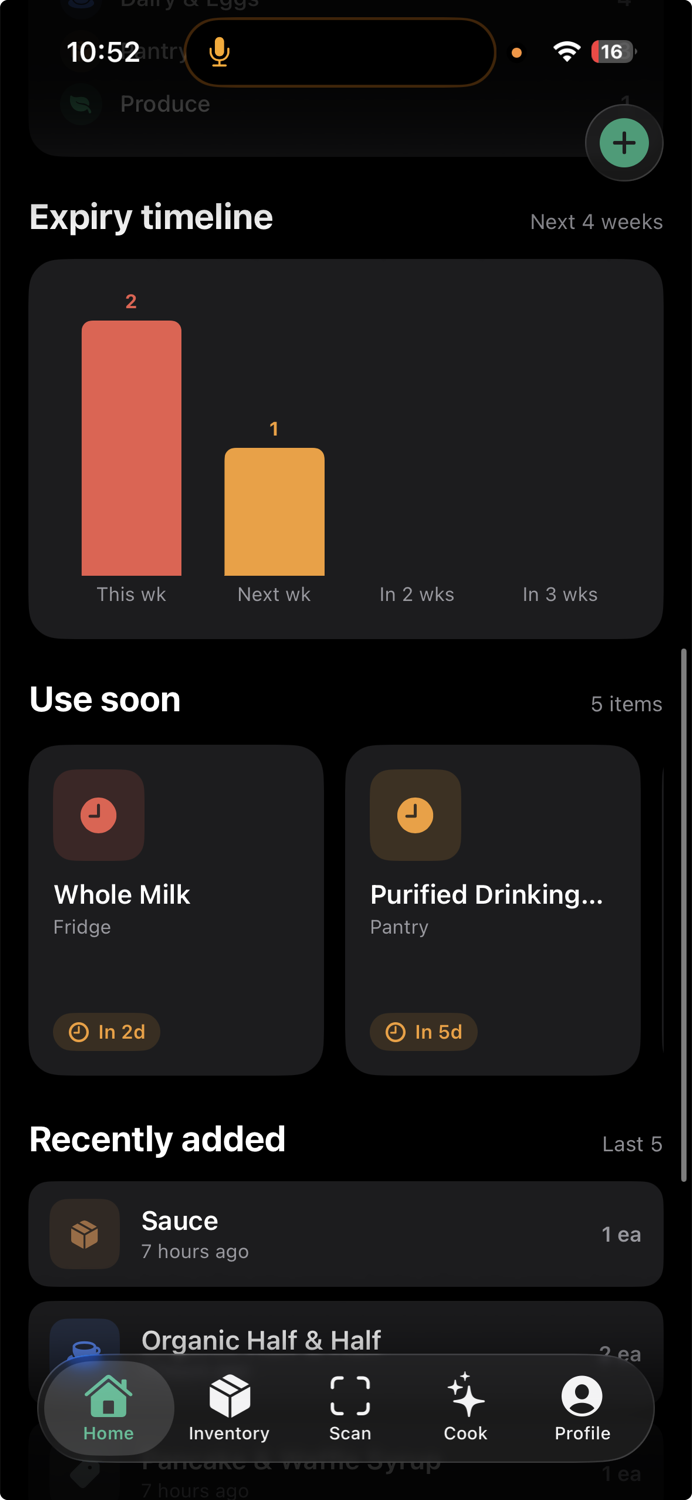
The Home dashboard shows in-stock, expiring, and expired totals, interactive category breakdowns, a four-week expiry timeline, recently added items, and a focused “use soon” section. Add the Shelfie widget to your home screen to keep the next three expiring items in view. Choose your own expiry threshold, reminder time, quiet hours, and inventory audit cadence.

Expiry timelineHome screen widgetReminders & quiet hoursAudit nudges
Shelfie expiry timeline
Cook

Ask your shelf what’s for dinner.

Apple’s on-device language model suggests recipes from everything you have—or only what expires soon. Set dietary needs, allergies, cuisine preferences, and maximum cook time; then refine ideas conversationally and save favorites.

On-device AIStreaming ideasDiet preferencesSaved recipes
Reorder & sync

Restock with context. Pick up anywhere.

Low-stock, expiring, and expired items become one shareable reorder list, with swipe actions to clear what you have already bought. Sign in with Apple to privately sync inventory snapshots, points, and saved recipes across your devices — changes made offline queue up and send themselves once you are back on a connection. Shelfie stays fully useful without an account.

Shareable listSign in with AppleOffline queueGuest mode
Family sharing

One shelf, everyone in the house.

Generate an invite code in Profile → Account and share it with the people you live with. They enter their name and the code when they open Shelfie — no Apple ID, no second subscription, no separate account to manage. Everyone sees the same inventory, and changes sync automatically as items come in and get used up.

Invite by codeNo sign-in needed for membersAutomatic syncRevoke anytime
Contribute

Help the catalog get better.

When a barcode is missing, you can choose to contribute the product’s name, brand, category, and code to Shelfie’s shared catalog. Eligible contributions appear in the points ledger, including pending and approved rewards.

Optional contributionsPoints ledgerPending rewardsShared catalog
See the rhythm

From grocery bag to useful meal.

How Shelfie works